
The best AI productivity tools for professionals are no longer limited to chatbots that draft emails or summarise documents. Modern workplace AI can search company information, organise tasks, analyse data, record meetings, schedule time and trigger actions across multiple applications.
That expansion creates a new problem: choosing the right tools.
A professional could easily subscribe to several AI assistants with overlapping features while still switching manually between email, documents, project systems and calendars. The better approach is to decide which parts of work create the greatest friction and use AI where it can remove that friction safely.
For some professionals, that means improving research and writing. Others may benefit more from meeting automation, scheduling or project management. The most useful automation tools increasingly connect these activities rather than performing them in isolation.
The objective should always be greater workplace efficiency without sacrificing accuracy, security, professional judgement or accountability.
What Are AI Productivity Tools and Why Are They Important?
AI productivity tools are applications that use artificial intelligence to help people perform, organise or automate work.
Some operate as general-purpose assistants. ChatGPT, Microsoft Copilot and Google Gemini can support a wide variety of knowledge-work tasks.
Others are specialised.
An AI meeting system may transcribe conversations and identify action points. An AI calendar application can protect focus time and automatically move tasks when priorities change. Project-management software can summarise project status and identify overdue work.
AI productivity tools can broadly support several types of activity:
- generating and editing information;
- finding and summarising knowledge;
- analysing data;
- coordinating projects;
- managing meetings;
- organising calendars;
- automating repetitive processes.
The most useful tools do more than generate content.
They reduce the administrative steps between understanding what needs to happen and actually getting it done.
Why AI Productivity Tools Matter for Professionals
Professionals spend substantial amounts of time moving information between systems.
A meeting produces notes. Someone turns the notes into tasks. Another employee adds deadlines to a project system. Someone else emails the decisions to colleagues.
AI can increasingly connect those stages.
Meeting software can identify actions automatically. A project platform can convert those actions into tasks. An AI assistant can then generate a weekly summary from the project information.
This does not mean every process should be automated.
AI becomes valuable when it removes repetitive effort while preserving appropriate human control.
It can also make information easier to access.
Instead of manually searching several folders for a policy, employees may be able to ask a workplace AI assistants system a question and receive an answer based on authorised company documents.
The productivity advantage therefore comes partly from reducing search, coordination and administration.
Professionals still need to check important outputs. Faster production is not useful if inaccurate information creates more work later.
Key Features of the Best AI Productivity Tools
The strongest tool depends on the work, but several characteristics are broadly useful.
Context awareness matters. AI assistants becomes more useful when it understands relevant documents, emails or project information rather than requiring the user to explain everything from the beginning.
Integration is equally important. A tool that can work with existing applications may remove more administration than an impressive standalone chatbot.
Source visibility matters for research and workplace knowledge. Professionals should be able to verify important information rather than relying on unsupported AI assistants answers.
Permissions and security controls become particularly important when company information is involved.
Professionals should also consider:
- ability to edit or approve AI actions;
- administrative controls;
- data-retention policies;
- integrations;
- automation capabilities;
- availability across devices;
- pricing and usage limits.
Do not evaluate AI assistants simply by asking which model appears smartest in a demonstration.
The best productivity system is the one that reliably fits the real workflow.
Best AI Tools for Task Management
AI task management can reduce the manual work involved in creating, prioritising and updating tasks.
Asana AI is particularly relevant to teams already managing projects in Asana. Its current platform includes AI Teammates, Asana Dash and AI Studio. AI assistants can summarise projects, surface priorities, classify requests and automate parts of cross-functional work.
ClickUp Brain offers similar assistance inside ClickUp. It can summarise tasks, generate project updates, identify duplicate tasks and create subtasks.
Notion AI can work with Notion’s databases, project plans and documents, making it useful where tasks and organisational knowledge already sit in the same workspace.
General-purpose assistants are also moving into task management.
ChatGPT can support scheduled and recurring work in eligible configurations, while other workplace AI assistants systems increasingly connect with project applications.
The key advantage is context.
An AI system already connected to the team’s projects is usually more useful for task management than one that requires users to copy and paste every project update manually.
Best AI Tools for Writing and Content Creation
Writing remains one of the most common AI productivity use cases.
ChatGPT can help develop outlines, compare approaches, draft documents, rewrite material and work with uploaded or connected information.
Microsoft Copilot is particularly useful for professionals who work mainly in Microsoft 365 because AI assistants is integrated across applications such as Word and PowerPoint.
Google Gemini can perform comparable work inside the Google Workspace environment, including Docs, Gmail and Slides.
Notion AI can draft and edit content where company documentation and projects already live inside Notion.
The important professional skill is not simply generating a first draft.
AI-written material still needs checking for accuracy, tone, missing context and unsupported claims.
Professionals should also be careful when creating specialised legal, financial, technical or health material. Fluently written text can still contain errors.
Use AI assistants to reduce blank-page effort and accelerate revision, while keeping human responsibility for the finished output.
Best AI Tools for Email and Communication
Email is a natural area for AI because much of the work involves summarising context and drafting routine communication.
Microsoft Copilot can operate within the Microsoft 365 environment, making it useful for Outlook-centred organisations.
Google has integrated Gemini increasingly deeply into Gmail and the wider Workspace environment.
Current Workspace Intelligence can use relevant context across enabled emails, files and conversations to provide more personalised assistance.
ChatGPT can also draft, rewrite and analyse messages and, where appropriate integrations are available, work with connected communication systems.
Useful email tasks include:
- summarising long threads;
- drafting replies;
- changing tone or length;
- extracting decisions;
- identifying unresolved questions;
- preparing follow-up messages.
AI assistants should not send important communications without appropriate review simply because it can generate them quickly.
Sensitive negotiations, disciplinary issues, legal commitments or complex customer complaints may require much more careful human judgement.
Best AI Tools for Meeting Management
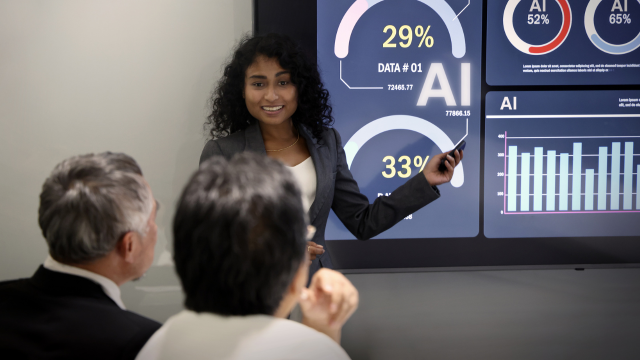
Meeting AI has developed considerably beyond simple transcription.
Otter now provides meeting agents and a broader conversational knowledge system capable of capturing, summarising and searching information across meetings.
Its newer tools can identify decisions and actions and connect meeting information with other systems.
ZoomMate, Zoom’s current AI assistants teammate, can work with meeting conversations and connected information, helping with tasks such as finding decisions, generating follow-ups and creating workflow outputs.
Microsoft Teams and Google Meet also provide AI-assisted meeting capabilities within their respective productivity ecosystems, depending on plan and configuration.
Notion AI Meeting Notes is useful where meetings need to feed directly into organisational documentation.
The important question is what happens after the transcript.
A transcript nobody reads saves little time. A meeting system becomes more useful when it turns conversations into searchable decisions, action items or project updates.
Recording and transcription also raise privacy and workplace-governance considerations, so organisations should establish appropriate policies.
Best AI Tools for Research and Information Gathering
General-purpose AI assistants can make research considerably faster, but professionals should distinguish research tools from ordinary conversational answers.
ChatGPT Deep Research is designed for multi-step investigation using the public web, uploaded information and supported connected sources. It produces structured reports with citations or source links so users can verify the evidence.
ChatGPT Work can extend this approach into broader multi-step work where eligible users want research translated into finished outputs.
Google Gemini can draw on selected Workspace information and increasingly carry out tasks across Drive, Gmail and other Google applications.
Notion Enterprise Search is designed for internal organisational research. It can search the Notion workspace and connected services such as Slack, Google Drive and Jira, with citations back to workplace sources.
The distinction between external and internal research matters.
A market-analysis question may require public-web evidence. A question about what the team agreed last month should instead search trusted organisational information.
The strongest AI assistants increasingly support both while respecting access permissions.
Best AI Tools for Data Analysis
AI can make analytics more accessible to professionals who do not work as full-time data analysts.
Microsoft Copilot can support analysis inside Excel and other Microsoft applications, making it particularly useful where business data already lives in spreadsheets and Microsoft 365.
Google Gemini increasingly works across Sheets and Workspace information.
ChatGPT can analyse uploaded data, explain trends and support calculations or data visualisation depending on the available tools and configuration.
Specialist business-intelligence platforms are also adding conversational AI.
The advantage is that users can increasingly ask questions in natural language instead of knowing every technical query or spreadsheet formula.
This lowers the barrier to exploration, but not the need for analytical judgement.
AI assistants may calculate correctly while interpreting the wrong column, misunderstanding the time period or drawing an unjustified causal conclusion.
Professionals should therefore verify important numbers and understand the underlying dataset before acting on AI-generated conclusions.
Best AI Tools for Project Management
Project management is becoming increasingly agentic.
Asana’s current AI assistants platform can help summarise project status, identify next actions and automate workflows.
Notion’s agents can operate where project plans, documentation and team knowledge already coexist.
ClickUp Brain can analyse tasks and project information within ClickUp.
Microsoft Copilot and Google Gemini may be more suitable where projects are coordinated primarily through their respective productivity suites rather than a dedicated project platform.
The strongest project AI assistants should answer practical questions:
What is delayed? What decision is blocking progress? Which tasks need attention? What changed since the previous update?
It can also help produce status reports without managers manually collecting information from every team member.
However, AI-generated project summaries are only as reliable as the information recorded in the system.
If employees do not update tasks, even sophisticated AI assistants may produce an incomplete picture.
Best AI Tools for Scheduling and Time Management
AI scheduling tools can reduce calendar administration.
Reclaim uses AI-supported scheduling to protect focus time, organise tasks and adjust calendar events according to priorities and conflicts.
Its newer Reclaim 2.0 environment adds an AI Assistant and agents designed to help people plan and adapt their schedules.
Calendly expanded its AI capabilities during 2026. Its current AI functions include meeting-related summaries and natural-language assistance, while its Callie assistant was introduced to help coordinate scheduling through email conversations.
Calendly can also connect with AI systems such as ChatGPT through supported integrations, allowing users to check availability or manage bookings conversationally.
Other workplace platforms increasingly include calendar assistance as part of larger AI systems.
The key principle is protecting time rather than merely filling it.
An AI scheduler that packs every available space with tasks may reduce rather than improve productivity.
Professionals should preserve breaks, focus periods and realistic transitions between commitments.
Best AI Tools for Note-Taking and Organization
Notion is particularly strong where notes need to become part of a wider organisational knowledge system.
Notion AI can search existing content, generate summaries and help organise information while its meeting features keep conversations connected with workspace documents.
Microsoft OneNote and the wider Microsoft 365 environment can also benefit from Copilot-supported workflows.
Google Workspace users may prefer Docs and Drive combined with Gemini because notes remain within the same ecosystem used for email and documents.
ChatGPT Projects can be useful for keeping conversations, files and instructions together around a continuing objective.
The best organisational approach avoids fragmenting knowledge.
A professional using five different AI note applications may save time while capturing information but lose that saving later when trying to remember where the information went.
Choose a clear home for durable knowledge.
AI should make important information easier to retrieve, not create another collection of isolated notes.
Best AI Tools for Workflow Automation
AI automation tools are particularly valuable when work repeatedly moves between applications.
Zapier now describes itself as infrastructure for AI-powered automation and supports connections across more than 9,000 applications.
Traditional Zaps use trigger-and-action workflows. AI can be added for tasks such as classification, drafting, summarisation or decision support, while AI agents can take on more complex multi-application processes.
Asana AI Studio provides another approach where automation happens around project workflows.
Notion Custom Agents can automate recurring activity within the Notion environment.
Microsoft and Google are similarly expanding agentic capabilities across their workplace ecosystems.
Start with predictable processes.
An incoming enquiry might be classified, added to a CRM and assigned to the correct team automatically.
Avoid automating a workflow simply because automation is possible.
If the underlying process is unclear or unreliable, the technology may simply execute mistakes faster.
How to Choose the Right AI Productivity Tools
Begin with friction.
Where does professional time disappear?
Perhaps employees spend hours searching for information, turning meetings into follow-up tasks or transferring data between systems.
Identify those problems before comparing tools.
Then consider the current technology environment.
An organisation already using Microsoft 365 extensively may gain more practical value from Copilot than from introducing several disconnected alternatives.
A Google Workspace company may reach the same conclusion about Gemini.
Teams heavily invested in Notion or Asana should examine those platforms’ native AI assistants before purchasing additional software.
Compare tools according to:
- task suitability;
- existing integrations;
- information security;
- administration and permissions;
- reliability;
- human approval controls;
- cost;
- learning curve.
Run a limited pilot with measurable goals.
“Use more AI” is not a useful objective. “Reduce weekly report preparation from three hours to one without increasing errors” is much easier to evaluate.
How to Integrate AI Tools Into Your Workflow
Do not introduce AI to every activity simultaneously.
Select one repeatable workflow.
Document the current process and identify the point where time is being lost.
Then decide what AI assistants should do and what humans should continue doing.
For example, an AI system may prepare a first draft of a client report, while an experienced employee verifies facts and approves the final version.
Another workflow may use meeting AI to create proposed action items, with the project manager confirming owners and deadlines.
Establish clear rules about confidential information.
Employees need to know which systems are approved for business data and what information must not be submitted to public or consumer AI assistants services.
Measure the result after implementation.
Did the process become faster? Were there more errors? Did employees simply spend the saved time correcting AI output?
Good integration creates a controlled division of labour between automation and human judgement.
Best AI Productivity Tools for Different Professions
Different roles benefit from different AI combinations.
Writers and marketers may use ChatGPT, Gemini or Copilot for research, drafting and campaign development while using specialist automation platforms for distribution.
Project managers may gain more from Asana AI, Notion or ClickUp because project context already exists there.
Analysts can combine spreadsheet-based Copilot or Gemini tools with more advanced general-purposeAI assistants analysis.
Consultants and researchers may value deeper research systems capable of synthesising several sources and creating documented reports.
Sales professionals can benefit from AI meeting systems, CRM automation and email assistance.
Managers and executives may find AI particularly useful for summarising large volumes of information, preparing briefings and tracking actions.
Administrators and operations professionals can gain significant value from scheduling and automation tools because much of their work involves repeatable coordination.
The right combination depends less on profession title than on the actual workflows performed each week.
Common AI Productivity Mistakes to Avoid
The first mistake is assuming AI assistants output is correct because it sounds professional.
Models can generate inaccurate facts, faulty calculations and invented references.
Another mistake is using AI simply to increase the volume of work.
Creating twice as many reports does not improve productivity if nobody needs them.
Professionals should also avoid:
- buying several overlapping AI subscriptions;
- uploading confidential information into unapproved systems;
- automating unstable processes;
- allowing AI-generated messages to be sent without appropriate review;
- measuring productivity by how frequently employees use AI;
- using AI surveillance as a substitute for good management;
- accepting summaries without checking important source material;
- failing to train employees in both capabilities and limitations.
Over-automation can create dependence too.
Teams should understand critical processes well enough to operate when a particular AI assistants service is unavailable.
AI should improve resilience and capability rather than create another single point of failure.
How to Use AI Responsibly at Work
Responsible workplace AI begins with clear purpose.
Employees should know which uses are approved and where human review is required.
Organisations need to consider confidentiality, personal information, intellectual property, accuracy and security before introducing new tools.
The UK government’s 2026 AI Risk Management Toolkit recommends treating AI risk as an ongoing process rather than a one-off approval decision.
Identify potential harm, introduce proportionate controls and continue monitoring whether those controls work.
Employee monitoring deserves particular care.
AI-enabled productivity systems can collect substantial information about working behaviour. ICO guidance states that worker monitoring must be lawful, fair and transparent and warns that excessive monitoring can damage privacy and mental well-being.
Professionals should also be transparent where AI involvement is relevant to clients or decision-making.
Most importantly, accountability should remain clear.
An employee cannot avoid responsibility for an important error simply by saying that an AI assistants tool produced it.
Future Trends in AI Productivity Tools
The major trend is a shift from assistance towards action.
Earlier workplace AI predominantly responded to prompts.
Modern systems increasingly behave like agents: they can retrieve information, plan steps, work across applications and carry out authorised actions.
ChatGPT Work reflects this transition by performing multi-step work across files, apps and the web.
Google’s September 2026 Workspace updates similarly allow Gemini to orchestrate more complex cross-application work.
Microsoft’s new Copilot direction includes Autopilot, designed around persistent proactive work.
Notion and Asana are also building agent systems directly into the workplace contexts where employees already manage projects and knowledge.
Another major trend is contextual AI.
Professionals will spend less time explaining their work repeatedly because authorised AI systems can increasingly understand relevant documents, messages and projects.
Custom organisational instructions are developing too. Google’s new Workspace skills and Notion’s agent capabilities point towards companies encoding repeatable processes directly into AI assistants systems.
The result may be fewer isolated AI applications and more intelligent layers across existing software.
Key Takeaways
The best AI productivity tools for professionals depend on the work rather than on one universal ranking.
General AI assistants such as ChatGPT, Microsoft Copilot and Google Gemini can support research, writing, analysis and increasingly complex multi-step tasks.
Specialist platforms provide deeper capabilities in particular workflows. Asana and ClickUp focus strongly on projects and tasks, Notion connects AI with workplace knowledge, Otter and Zoom focus heavily on meetings, while Reclaim and Calendly address scheduling.
Zapier and other automation tools can connect applications and remove repetitive hand-offs between systems.
The biggest opportunity for workplace efficiency comes from connecting AI assistants with a well-designed process rather than simply generating more content.
Security and judgement remain important. Professionals should verify consequential outputs, protect confidential information and understand when human approval is necessary.
Tyne Academy currently offers online learning across technology and business areas and publishes material covering AI and digital skills. Structured learning can help professionals understand AI concepts and practical applications, but course completion alone should not be treated as proof of professional AI competence. Individual content, assessments and certificate arrangements should be checked before enrolment.
Frequently Asked Questions
What are AI productivity tools?
AI productivity tools are applications that use artificial intelligence to help people create, analyse, organise or automate work. They can assist with writing, research, meetings, scheduling, project management, data analysis and workflow automation.
What are the best AI productivity tools for professionals?
The best AI productivity tools for professionals include broad assistants such as ChatGPT, Microsoft Copilot and Google Gemini alongside specialist platforms such as Asana AI, Notion AI, Zapier, Otter, ZoomMate, Calendly and Reclaim. The appropriate choice depends on the user’s existing software and workflow.
How can AI tools improve productivity?
AI can reduce time spent searching for information, summarising documents, preparing first drafts, organising meetings and transferring information between systems. Productivity improves when the saved time exceeds the time required to review and correct the AI’s output.
What is the best AI tool for work?
There is no universally best tool. Microsoft Copilot may fit organisations centred on Microsoft 365, while Gemini can integrate naturally with Google Workspace. ChatGPT can suit broad research, creation and multi-step knowledge work. Specialist systems may be better for projects, meetings, scheduling or automation.
Which AI tools are best for writing?
ChatGPT, Microsoft Copilot, Google Gemini and Notion AI can all support professional writing. The best option depends partly on where the source information and final document already live. Important material should still receive human editing and factual review.
Which AI tools are best for time management?
Reclaim focuses specifically on intelligent scheduling, task planning and protecting focus time. Calendly has expanded its AI scheduling and meeting workflow capabilities, while larger workplace suites increasingly provide their own calendar assistance.
How can professionals use AI safely?
Use employer-approved systems, understand how information is handled and avoid sharing confidential or personal information without an appropriate basis. Verify important outputs, maintain human review for consequential work and follow organisational policies on security, privacy and AI use.
How do I choose the right AI productivity tool?
Identify the workflow you want to improve first. Then compare tools according to integrations, accuracy, security, administrative controls, cost and usability. Test the strongest candidate on a real process and measure whether it genuinely saves time or improves quality before expanding adoption.
Conclusion
Choosing the best AI productivity tools for professionals is no longer simply a question of finding the most capable chatbot.
AI is becoming part of the wider workplace infrastructure.
General AI assistants can research, write, analyse and increasingly act across connected information. Project platforms can identify priorities. Meeting systems can convert conversations into actions. Scheduling AI can organise time, while automation tools can move information between applications without constant manual intervention.
The strongest results come from combining these capabilities selectively.
Start with work that is repetitive, information-heavy or unnecessarily administrative. Give AI a clearly defined role and keep human review where judgement or accountability matters.
Businesses should also avoid equating activity with workplace efficiency. Generating more emails, reports or meetings faster is not useful unless those outputs contribute to meaningful work.
The next phase of workplace AI is likely to involve more agents, deeper organisational context and fewer manual transitions between applications. That creates significant opportunities, but also raises the importance of security, governance and human oversight.
Professionals who understand both the capabilities and limitations of AI will be better positioned than those who simply collect the newest tools. The goal is not to automate everything. It is to use AI where it genuinely makes good work easier to complete.