
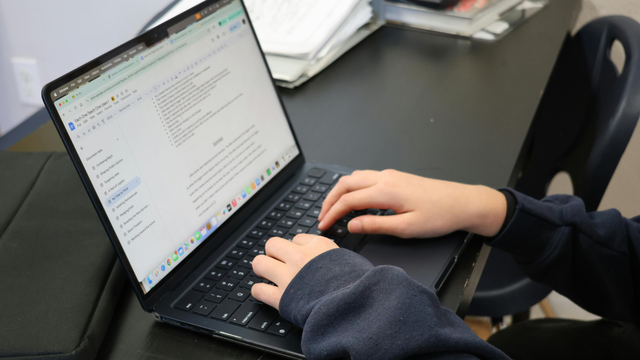

Strong typing skills for office jobs can make everyday administrative work faster, easier and more accurate.
Office workers may spend substantial parts of the day writing emails, preparing reports, updating customer information, taking meeting notes or entering information into digital systems. Someone who has to look for every key individually can still complete these tasks, but greater keyboard confidence can improve efficiency considerably.
Typing ability is particularly relevant to office administration, secretarial work, reception, personal-assistant roles and jobs involving significant data entry skills.
However, there is no single UK typing speed improvement that every office worker must achieve.
A general administrative position may not mention words per minute at all. A medical secretary, audio typist or transcription-heavy position may specifically require 40, 50 or even more words per minute. Employers can also care as much about accuracy as raw speed.
Good professional typing speed improvement therefore means balancing:
- speed;
- accuracy;
- keyboard skills;
- formatting;
- digital organisation;
- appropriate use of office software.
This guide explains what typing ability UK employers may look for, how to approach typing speed improvement improvement, which office careers require stronger skills and how regular practice can increase both productivity and confidence in the modern digital workplace.
Why Typing Skills Matter for Office Careers
Typing remains one of the most frequently used computer skills in administrative work. Even organisations that have introduced automation and artificial intelligence still depend heavily on written digital information and electronic communication.
Administrative Work Involves Constant Written Communication
The National Careers Service describes admin-assistant duties as including:
- typing letters and reports;
- responding to emails;
- maintaining computer records;
- taking meeting notes;
- handling enquiries.
Almost all of those tasks involve a keyboard. Improved typing speed improvement can therefore reduce the effort needed for routine office tasks and everyday administrative duties.
Faster Typing Can Improve Productivity
Suppose two employees need to type a 1,000-word document. One types comfortably at 50 words per minute. Another manages 20 words per minute while frequently looking down at the keyboard. The faster typist can potentially complete the initial text much sooner, leaving more time for:
- proofreading;
- formatting;
- checking information.
Speed should never replace accuracy, but efficient typing speed improvement can contribute to greater workplace productivity and time management.
Typing Helps With More Than Documents
Modern office typing includes:
- emails;
- live chat;
- CRM notes;
- spreadsheets;
- online forms;
- database entries;
- instant messaging.
That makes typing part of broader digital skills and computer skills UK employers value.
Typing Reduces Cognitive Effort
When typing speed improvement becomes automatic, you can focus more attention on what you are writing. A touch typist does not need to constantly think: “Where is the R key?” That can make drafting, note taking and data entry feel more natural and efficient.
It Can Help With Employability
Typing ability is particularly relevant where job advertisements mention:
- touch typing;
- audio typing;
- transcription;
- data entry;
- minute taking.
Some employers may test these abilities during recruitment. typing speed improvement is therefore not merely a convenience for certain admin jobs. It can be a specific workplace skill or job requirement.
Understanding Typing Speed and Accuracy
Typing performance is usually discussed using two concepts: speed and accuracy. Both matter when developing effective typing ability.
What Is WPM?
Typing speed is commonly measured in words per minute, usually abbreviated to WPM. A typing speed improvement test calculates how much text you produce within a specified period.
For example:
25 WPM means approximately 25 words per minute.
50 WPM means approximately 50 words per minute.
The precise test methodology may differ between platforms, so results from two tests are not always perfectly comparable.
Why Accuracy Matters
Imagine someone types 70 WPM but makes errors in:
- names;
- dates;
- invoice numbers;
- addresses.
That speed could create more work because someone needs to correct the mistakes. In professional administration, accurate information and error-free data entry are essential.
A slower typist producing reliable work can be more valuable than a faster typist who repeatedly creates errors.
What Is a Good Accuracy Rate?
There is no universal statutory UK typing-accuracy requirement. Some employers specify their own standards.
For example, a current NHS secretarial vacancy has listed approximately 40–50 WPM with 90–95% accuracy as desirable.
For personal practice, aiming for around 95% accuracy or better can be a sensible target before aggressively increasing speed. This is a training goal, not a universal employment rule.
Speed and Accuracy Should Develop Together
Beginners often try to type as quickly as possible. This creates poor habits.
A better progression is:
accuracy → consistency → speed
Once correct keystrokes become automatic, typing speed improvement speed tends to improve naturally.
Essential Typing Skills for Office Workers
Typing involves more than moving fingers quickly. Professional workers need a broader range of keyboard and data-entry skills.
Touch Typing
Touch typing speed improvement means using the keyboard without continually looking at the keys. Traditional technique places the fingers around the home row:
A S D F for the left hand.
J K L ; for the right hand.
Each finger then covers a particular group of keys. The objective is to develop muscle memory and consistent keyboard control.
Accurate Text Entry
Office workers frequently copy information from:
- forms;
- invoices;
- handwritten notes;
- emails;
- other systems.
Information needs to be transferred accurately. This is especially important for names, telephone numbers and financial information.
Number Entry
Some office roles involve substantial numerical work. Examples include:
- finance administration;
- payroll;
- inventory;
- order processing.
Practising the number row and, where available, the numeric keypad can improve number-entry efficiency.
Punctuation
Professional typing speed improvement requires confidence with:
- commas;
- full stops;
- apostrophes;
- quotation marks;
- brackets;
- question marks.
Typing quickly but stopping every time punctuation is needed can limit productivity.
Capital Letters
Learn to use the Shift keys efficiently rather than searching for Caps Lock whenever one capital letter is needed.
Keyboard Shortcuts
Useful shortcuts include:
Ctrl + C – copy
Ctrl + V – paste
Ctrl + X – cut
Ctrl + Z – undo
Ctrl + S – save
Ctrl + F – find
These are not technically typing speed improvement-speed techniques, but they can increase overall work efficiency and keyboard productivity.
Proofreading
Professional typing is not complete when the final word is entered. Review:
- spelling;
- grammar;
- names;
- dates;
- numbers.
Good typists know when to slow down and check their work for accuracy and errors.
How Fast Should Office Workers Type?

This is one of the most common questions about typing skills for office jobs. There is no single correct answer or universal typing speed.
General Administrative Roles
Many ordinary administrative vacancies do not specify any WPM requirement. Instead, employers may ask for:
- competent computer use;
- Word experience;
- good written communication;
- administrative ability.
For these jobs, being able to type accurately and confidently may matter more than achieving a specific test score.
A Useful Personal Goal
If your target vacancy does not state a speed, reaching around 40 WPM with strong accuracy is a reasonable personal development goal for ordinary office typing speed improvement.
That should not be misunderstood as an official UK standard. You may obtain a job at a lower speed where typing intensity is modest, while some specialist jobs require considerably more.
Typing-Heavy Roles
Current healthcare job advertisements demonstrate the variation. Examples reviewed include requirements or preferences around:
- 25 WPM;
- 40–50 WPM;
- 45 WPM;
- 50 WPM;
- 60–80 WPM.
Higher figures tend to appear in roles involving substantial:
- audio typing;
- correspondence;
- transcription;
- secretarial work.
For these typing-intensive office roles, both speed and accuracy can be important parts of overall job performance.
Accuracy Can Matter More Than Maximum Speed
If you can type 45 WPM accurately, there may be little benefit in forcing yourself to 60 WPM if accuracy collapses.
Build both abilities progressively.
Always Read the Job Specification
If an employer says:
“Minimum typing speed improvement speed: 50 WPM,”
that is the standard that matters for that vacancy.
Generic online advice cannot override it.
Improving Typing Speed Step by Step
Effective typing speed improvement comes from regular practice rather than simply trying to move your fingers faster.
Step 1: Measure Your Starting Point
Complete several typing tests.
Record:
- WPM;
- accuracy.
Do not rely on one unusually good or bad result.
Use an average.
Step 2: Learn Correct Finger Placement
If you currently type with two fingers while looking at the keyboard, improving technique may initially reduce your speed.
That is normal.
You are replacing an old habit.
Step 3: Focus on Accuracy
Set a comfortable pace and reduce errors.
Do not chase your highest possible WPM every session.
Step 4: Practise Difficult Keys
Most learners have weak areas.
You might repeatedly struggle with:
- numbers;
- punctuation;
- particular letters;
- capitalisation.
Target those areas individually.
Step 5: Use Short Daily Sessions
Fifteen to thirty minutes of focused practice each day can be more useful than one very long weekly session.
Consistency builds muscle memory.
Step 6: Stop Looking at the Keyboard
This may feel uncomfortable initially.
Consider covering your hands or using a blank keyboard image while practising.
The goal is to teach your fingers where the keys are.
Step 7: Practise Real Office Tasks
Once your technique improves, type realistic material such as:
- business emails;
- reports;
- meeting minutes;
- customer notes.
This bridges the gap between typing speed improvement exercises and actual office work.
Step 8: Increase Speed Gradually
When accuracy becomes consistent, deliberately push slightly beyond your comfortable pace.
Then return to an accurate pace.
This helps develop speed without destroying technique.
Typing Skills for Administration and Data Entry Jobs
Different office occupations use typing speed improvement differently.
Administrative Assistant
An administrator might type:
- correspondence;
- emails;
- meeting notes;
- reports.
The National Careers Service specifically includes business-document typing within ordinary admin-assistant duties.
Strong typing can therefore support overall office administration efficiency.
Data Entry Roles
Data entry focuses heavily on transferring information accurately into electronic systems.
Useful data entry skills include:
- typing;
- numerical entry;
- accuracy;
- attention to detail.
In these roles, one incorrect digit can sometimes be more significant than several seconds of extra typing time.
Receptionist
Receptionists may use keyboards while simultaneously speaking to customers.
They might:
- create bookings;
- update contact information;
- take messages;
- write emails.
Typing confidence allows them to maintain conversation without constantly searching for keys.
Medical Secretary
Medical secretarial work can be especially typing intensive.
Current NHS vacancies commonly ask for:
- audio typing;
- medical terminology;
- high accuracy;
- 40–50 WPM or more.
This is a good example of an occupation where explicit typing speed improvement requirements can matter.
Personal Assistant
PAs may type:
- correspondence;
- agendas;
- minutes;
- reports.
They also need strong digital organisation and communication skills.
Legal Secretary
Legal administrative work can involve substantial document preparation.
Accuracy is essential because documents may contain:
- client names;
- dates;
- case details.
Customer Service
Typing is increasingly important in customer service because communication may happen through:
- web chat;
- email;
- CRM systems.
Good keyboard confidence can help employees respond efficiently while maintaining professional communication.
Common Typing Mistakes to Avoid
Looking at the Keyboard Constantly
This limits touch-typing development and slows progress. Train yourself gradually to look at the screen rather than the keys.
Chasing Speed Too Soon
Typing very quickly with poor accuracy can reinforce bad habits. Prioritise accuracy first and increase your speed gradually.
Using Only Two Fingers
Some people become surprisingly fast using a personal two-finger system. However, proper touch typing speed improvementgenerally encourages more consistent use of the whole keyboard and can reduce unnecessary hand movement.
Ignoring Errors
Do not repeatedly make the same mistake without correcting the underlying technique. Identify problematic keys and practise them regularly.
Poor Posture
Typing for long periods in an uncomfortable position can contribute to fatigue and discomfort. Adjust your:
- chair;
- screen;
- keyboard;
- desk.
Take suitable breaks and follow workplace display-screen equipment arrangements.
Pressing Keys Too Hard
Modern keyboards require relatively little force. Heavy or forceful keystrokes can increase hand and finger fatigue.
Forgetting to Proofread
A fast typist still needs to review important work. Always check for spelling, punctuation and typing errors.
Practising Only Easy Words
Typing tests containing familiar words can produce flattering scores. Real office work includes:
- names;
- numbers;
- punctuation;
- unfamiliar terminology.
Practise varied and realistic content to build broader typing ability.
Best Practices for Professional Typing
Professional typing combines good technique with effective working habits.
Prioritise Accuracy
Accuracy protects the quality and reliability of your work. Check particularly important information twice.
Use Professional Formatting
Typing a document is not simply entering text. Learn how to use:
- paragraphs;
- headings;
- lists;
- tables.
Good formatting makes documents clearer and easier to read.
Learn Your Office Software
Typing becomes more useful when combined with wider digital competence. Most administrative staff should become comfortable with:
- Word;
- Outlook;
- Excel;
- shared digital systems.
The Department for Education’s 2026 Essential Digital Skills Standards reinforce the importance of broad digital capability for work.
Save Regularly
Use Ctrl + S, or understand the automatic-save system your organisation uses. Regular saving helps prevent the loss of important work.
Use Templates Correctly
Templates can save time when preparing:
- letters;
- reports;
- minutes.
However, always remove outdated information before creating a new document.
Handle Confidential Information Carefully

Fast typing should never encourage careless handling of information. Follow workplace:
- privacy;
- security;
- data-protection
procedures carefully.
Develop Keyboard Shortcuts
Small efficiency improvements can add up over time. Using shortcuts for frequent actions reduces unnecessary mouse movement and supports practical office productivity tips.
Maintain Comfortable Technique
Your wrists and hands should not remain under unnecessary strain. Good posture and sensible workstation arrangements are especially important when typing speed improvement is a major part of your job.
Tools to Improve Typing Skills
You do not need expensive equipment or costly software to practise effectively.
Online Typing Tests
Typing-test websites can track:
- WPM;
- accuracy;
- errors.
Use the same platform periodically so your progress and improvement are easier to compare.
Typing Tutors
Dedicated typing applications can teach:
- finger positioning;
- letter combinations;
- punctuation;
- numbers.
They can be particularly useful for beginners developing touch-typing skills.
Word Processors
Microsoft Word or similar software can provide realistic typing speed improvement practice. Try copying:
- articles;
- meeting notes;
- business letters.
Then compare your version with the original to identify mistakes.
Spreadsheet Practice
Excel can help practise entering:
- numbers;
- names;
- structured data.
This is particularly useful for data-entry and administrative roles.
Audio Typing
If you are interested in secretarial work, practise typing from recorded speech. Audio typing develops several skills at once:
- listening;
- spelling;
- punctuation;
- typing simultaneously.
It can be more challenging than copying text from a screen and provides useful practical practice.
Timed Practice
Set a timer for:
- 5 minutes;
- 10 minutes;
- 15 minutes.
Measure both speed and accuracy.
Longer tests can reveal whether your performance remains consistent rather than producing one short burst of speed.
Structured Training
People who prefer guided learning can use a short touch-typing course alongside regular independent practice.
Tyne Academy currently offers a Professional Touch Typist programme covering:
- touch-typing fundamentals;
- hand position;
- speed;
- accuracy;
- typing ergonomics.
It is currently listed as approximately 50 minutes of self-paced study and provides a certificate of completion.
Tyne Academy also offers a broader programme combining:
- touch typing;
- audio typing;
- data entry;
- receptionist skills.
This can introduce several abilities relevant to admin jobs.
However, the current listings explicitly state no formal qualification.
Completing a course therefore does not automatically prove that someone types at 40, 50 or 60 WPM.
The most convincing evidence of speed is an actual timed typing assessment.
Key Takeaways
Strong typing skills for office jobs combine speed, accuracy, touch-typing technique and broader computer confidence.
There is no universal UK typing speed improvement requirement for all office workers.
Many administrative jobs simply require competent computer and word-processing ability.
Typing-intensive jobs may specify explicit requirements. Current vacancies reviewed demonstrate figures ranging from approximately 25 WPM to 60–80 WPM depending on the position.
Around 40 WPM with high accuracy can be a useful personal target for general office development, but it is not an official national requirement.
Accuracy is particularly important for data entry, medical administration and other roles involving sensitive or detailed information.
Touch typing, keyboard shortcuts and regular practice can improve efficiency.
Always check the individual vacancy before deciding what speed you need.
FAQ
What typing speed is needed for office jobs?
There is no universal requirement. Many general administrative vacancies do not specify WPM at all. Typing-intensive secretarial positions may request around 40–50 WPM or more. Current UK vacancies reviewed range from 25 WPM in some administrative work to 60–80 WPM in a specialist medical-secretarial role.
How can I improve my typing speed?
Learn correct finger placement, stop looking continually at the keyboard and practise for short periods regularly. Focus on accuracy first, then gradually increase your speed. Timed tests can help track typing speed improvement.
Are typing skills important for administration jobs?
Yes. Administrators regularly write emails, create documents, update records and enter information. The National Careers Service specifically lists typing business documents among normal admin-assistant duties.
What is a good typing accuracy rate?
There is no universal UK standard. Some employers specify their own requirement; one current NHS vacancy lists approximately 90–95% accuracy alongside 40–50 WPM. For practice, aiming for 95% or better before pushing speed further is a useful personal goal.
Can typing skills improve employability?
They can, particularly for jobs involving significant documentation, transcription or data entry. Typing should be combined with wider digital, communication and organisational skills rather than treated as a complete qualification by itself.
How long does it take to learn touch typing?
There is no fixed timeframe. Progress depends on your starting technique, frequency of practice and target speed. Some learners can become comfortable with basic finger positioning relatively quickly, while developing fast, accurate touch typing can require weeks or months of regular practice.
Which jobs require fast typing?
Roles that may place greater emphasis on typing include medical secretary, legal secretary, audio typist, transcription worker, personal assistant, administrative assistant and data-entry positions. Requirements differ between employers.
Are typing tests common in interviews?
They are used in some recruitment processes, particularly where fast or accurate typing is central to the job. They are not universal across all office careers. If the vacancy mentions a specific WPM level, audio typing or a typing assessment, practise under timed conditions before the interview.

Conclusion
Strong typing skills for office jobs can make everyday digital work faster, more accurate and less tiring.
The most important point is that speed should not be considered in isolation.
Professional typing combines reliable keyboard skills, accuracy, appropriate formatting and the ability to work confidently with the wider technology used in a modern digital workplace.
For ordinary office administration, there is no single national typing-speed requirement. Many employers are more interested in whether someone can use computers and mainstream office applications competently.
More specialised roles can be different.
Jobs involving audio transcription, medical correspondence or large volumes of data may explicitly request 40, 50 or even more words per minute. Candidates should therefore treat the actual job description as the definitive requirement.
Improving your ability does not need to be complicated.
Begin by measuring your current performance. Develop correct finger placement, concentrate on accuracy and practise for short periods regularly. Once those foundations become comfortable, gradually increase speed.
People interested in admin jobs should also practise real workplace activities rather than relying entirely on artificial typing tests.
Write emails.
Produce documents.
Enter spreadsheet information.
Practise audio typing.
These exercises combine typing with the data entry skills and broader computer skills UK employers often need.
Good technique can also support everyday productivity. Keyboard shortcuts, file organisation and efficient use of office applications are simple productivity tips that become particularly valuable when repeated hundreds of times during a working week.
Structured training can help learners develop technique. Tyne Academy currently offers touch-typing courses covering speed, accuracy and keyboard positioning, including programmes linked with administration and data entry.
However, these programmes currently provide completion certificates rather than formal qualifications. Anyone applying for a vacancy with a specified typing-speed requirement should therefore practise until they can demonstrate that performance independently.
For people entering office careers, the goal is not to become the fastest typist in Britain.
It is to type quickly enough that the keyboard stops getting in the way of your work—while keeping the information you produce accurate, professional and reliable.