

Understanding how to improve workplace time management is not about filling every available minute with tasks. Effective time management helps employees concentrate on important work, organise competing demands and use limited working hours more deliberately.
Good time management skills combine prioritisation, realistic planning, scheduling, focus and the ability to recognise when a workload is simply too large. Businesses also have a role to play. Employees cannot manage their way out of permanently unrealistic deadlines, unnecessary meetings or unclear priorities.
Technology can improve workplace efficiency by organising tasks, reserving focus time and automating routine scheduling. AI is making these tools more capable by automatically rearranging work when plans change and helping teams identify priorities.
However, productivity should not be confused with constant activity. Strong productivity means achieving valuable outcomes with sensible use of time and resources.
This guide explains how businesses and employees can improve workplace time management without creating a culture of excessive monitoring or permanent urgency.
What Is Workplace Time Management and Why Is It Important?
Workplace time management is the process of deciding how working time should be allocated across tasks, meetings, communication and other responsibilities.
It involves more than maintaining a to-do list.
An employee may have an organised list containing 40 tasks but still struggle because there is no realistic plan for when those tasks can actually be completed.
Effective time management connects priorities with capacity.
For example, an employee may have eight hours available during a working day, but that does not mean there are eight hours available for concentrated tasks. Meetings, customer calls, routine administration and breaks all consume part of that time.
Good planning recognises these constraints.
Workplace time management also operates at organisational level.
Managers influence how employees use their time through deadlines, meeting expectations, approval processes and workload allocation.
This means poor time management is not always an individual problem.
If every employee in a department continually misses deadlines, management should investigate the process before concluding that everyone needs better personal productivity techniques.
Why Effective Time Management Matters at Work
Time management matters because businesses have limited working capacity.
Every unnecessary meeting, duplicated task or repeated interruption consumes time that cannot be recovered.
Better organisation can make it easier to concentrate on work that contributes directly to business objectives.
For employees, effective time management can reduce uncertainty.
Instead of repeatedly deciding what to work on next, priorities are clearer and important work already has space allocated.
Managers also gain better visibility.
If a project requires 120 hours of work but the team has only 80 realistic hours available before the deadline, no individual productivity technique will close the entire gap.
Management can respond by changing scope, extending the deadline or adding resources.
This is particularly important from a wellbeing perspective.
HSE’s Management Standards identify demands, including workload and work patterns, as a major area associated with workplace stress. HSE says demands should be adequate and achievable within agreed working hours.
Effective time management should therefore improve sustainable working rather than simply increase pressure.
Common Causes of Poor Workplace Time Management
Poor time management often begins with unclear priorities.
If employees receive five tasks labelled urgent, they have effectively received no useful prioritisation at all.
Another problem is overcommitment.
Managers may agree to deadlines without checking existing workloads, leaving employees to resolve the capacity problem themselves.
Meetings can also consume disproportionate amounts of time. A one-hour meeting involving eight employees represents eight hours of collective working time before preparation and follow-up are considered.
Constant digital interruptions create another source of inefficiency.
Email, chat messages and application notifications can fragment concentrated work into short intervals.
Unclear roles also contribute.
HSE specifically identifies role clarity as an important factor in healthy work design. Employees may waste time when responsibilities overlap or when different managers provide conflicting instructions.
Other causes include weak delegation, poor processes, unrealistic estimates and failure to distinguish genuinely urgent work from work that merely arrived recently.
Improvement therefore begins with understanding where time is currently being lost.
How to Improve Workplace Time Management
Start by identifying the most important outcomes rather than organising every task with equal care.
Employees should understand which work contributes most directly to current objectives.
Managers can support this by giving teams explicit priorities.
For example, instead of saying:
“Everything needs to be completed this week,”
a manager can clarify that the customer implementation is the first priority, month-end reporting is second and the internal presentation can move if necessary.
Next, estimate capacity realistically.
Calendar time should include meetings, administration and predictable interruptions.
Do not schedule eight hours of individual work into a day already containing four hours of meetings.
Create protected periods for concentrated tasks.
Batch routine activities such as email or expense processing where practical rather than switching constantly between unrelated work.
Review unfinished tasks regularly.
Repeatedly postponing the same task may indicate that it is not actually important, is poorly defined or requires more time than originally estimated.
Finally, treat recurring overload as a management problem.
If employees consistently need evenings and weekends to meet ordinary expectations, the organisation should review workload and resource planning rather than relying solely on personal productivity techniques.
How to Set Priorities and Manage Daily Tasks
Prioritisation should answer two questions:
What matters most?
What needs attention first?
These are not always the same thing.
A strategic proposal may be extremely important but not due for two weeks. A customer outage may require immediate action even though it was not part of the original plan.
Employees therefore need both long-term priorities and daily flexibility.
One practical approach is to begin each day with a small number of must-complete outcomes.
Todoist itself recommends keeping only a few must-do tasks for the day and supports four priority levels so important tasks appear more prominently.
Large tasks should be broken into clearer actions.
“Prepare annual strategy” is difficult to schedule.
“Analyse Q3 customer retention data” is more concrete.
Separating deadlines from intended working dates is also useful.
A report due Friday may need three hours of drafting on Tuesday and two hours of editing on Thursday.
Waiting until the deadline appears on a task list creates unnecessary pressure.
Managers should also explain trade-offs.
When a new urgent request arrives, ask which existing task should move.
This prevents workload from expanding invisibly every time another priority is added.
How to Use Time Blocking and Scheduling
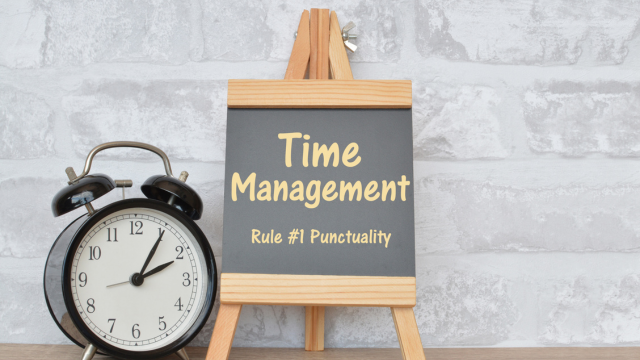
Time blocking means reserving specific calendar periods for particular categories of work.
Instead of hoping to find time for a difficult task, the employee intentionally creates that time.
For example, a manager might reserve:
Monday morning for weekly planning;
Tuesday afternoon for client proposals;
Wednesday morning for uninterrupted analysis.
The exact schedule will vary.
The principle is to connect planned work with actual time.
Digital calendars increasingly support this directly.
Google Calendar allows users to schedule focus-time events that can silence notifications and automatically decline meetings according to the selected settings. Tasks with dates and durations can also appear directly in Calendar.
Microsoft Viva Insights can similarly book recurring focus periods and mute Teams notifications while those periods are active.
Avoid scheduling the entire day.
Unexpected work exists.
Leave some flexibility for overruns, urgent requests and transitions between tasks.
Time blocking is most effective when it creates realistic structure rather than a timetable so rigid that one delayed meeting destroys the rest of the day.
How to Reduce Workplace Distractions
Not every interruption can or should be eliminated.
A customer-service employee needs to respond to customers. A manager needs to remain accessible to the team.
The aim is reducing unnecessary interruptions.
Start with notifications.
Employees may not need an immediate alert for every email, chat reaction and project update.
Consider turning off non-essential notifications during focused work.
Next, establish communication expectations.
If every message is treated as urgent, employees will constantly monitor messaging applications.
Teams can agree that genuinely urgent issues use one channel while routine communication can wait.
Physical environments matter too.
Open offices may make spontaneous communication easy but can also interrupt work requiring concentration.
Quiet areas or flexible working arrangements may help for certain tasks.
Digital focus tools can support these habits.
Microsoft Viva Insights’ focus mode can mute Teams notifications, while Google Calendar focus time can protect defined periods from interruptions.
Managers should model these behaviours.
If senior leaders repeatedly interrupt protected focus periods for minor questions, employees quickly learn that the calendar block has no meaning.
How to Improve Meeting and Calendar Management
Meetings should earn the time they consume.
Before arranging one, ask whether the outcome requires real-time discussion.
A status update may work better as a written project update.
A complex decision involving disagreement may genuinely benefit from a meeting.
Every necessary meeting should have a purpose.
Participants should understand why they are there and what decision or outcome is expected.
Keep attendance focused.
Inviting ten people “just in case” increases organisational cost.
Calendar management can also group similar meetings.
A manager might hold most one-to-one meetings on the same afternoon rather than scattering them across five days.
This preserves larger blocks for other work.
Google Calendar currently provides shared availability, working hours, focus time, Time Insights and Gemini-assisted scheduling on eligible Workspace plans.
Microsoft Viva Insights can suggest focus time when meeting load becomes heavy and can help users reserve preparation time for upcoming meetings.
Regularly review recurring meetings.
A weekly meeting that stopped creating value six months ago should not continue purely because nobody cancelled it.
How to Delegate Tasks More Effectively
Delegation is not simply transferring unwanted work to another person.
Effective delegation matches responsibility with capability and available capacity.
Begin by deciding what genuinely requires your involvement.
Managers often hold onto routine tasks because completing them personally feels faster than explaining them.
That may be true once.
If the task occurs every week, failure to delegate can become expensive over time.
When delegating, clarify the expected outcome.
Explain the deadline, relevant constraints and level of authority.
Avoid dictating every step unless the process genuinely requires it.
Delegation should also transfer enough information.
Giving someone responsibility without access to files, systems or decision-making authority creates additional delay.
Check capacity before assigning work.
Moving a task from an overloaded manager to an equally overloaded employee does not improve team time management.
Project-management software can help managers see responsibilities and workloads before assigning more work.
Asana, for example, provides project, workload and resource-management views designed to show who is responsible for work and where bottlenecks may be emerging.
Good delegation increases organisational capacity because more people become capable of owning meaningful work.
Best Time Management Tools for Businesses
Different tools address different parts of workplace time management.
| Tool | Particularly useful for | Main strength |
| Todoist | Individual and team task organisation | Priorities, projects, dates, deadlines and calendar visibility |
| Asana | Team and project coordination | Tasks, workloads, goals, workflows and AI-assisted prioritisation |
| Microsoft Viva Insights | Microsoft 365 workplaces | Focus time, work-pattern insights and meeting-management support |
| Google Calendar and Tasks | Google Workspace businesses | Scheduling, Tasks, focus time, shared calendars and Gemini |
| Motion | AI-led daily planning | Automatic task scheduling, capacity planning and dynamic replanning |
| Reclaim | Protecting focus around existing calendars | AI scheduling for tasks, focus time, habits and recurring meetings |
Todoist
Todoist is particularly useful for employees and smaller teams wanting straightforward task management.
Tasks can have priorities, dates, times and, on relevant plans, deadlines and durations.
Its calendar feeds also allow scheduled tasks to appear in Google Calendar, Outlook or Apple Calendar.
The platform is most useful when employees need a simple answer to:
“What should I do next?”
rather than a highly complex project-management environment.
Asana
Asana becomes more valuable when time management depends on coordinating multiple employees.
Teams can assign tasks, track projects, manage workloads and connect work to wider goals.
Its current AI environment goes substantially further, with AI Teammates, AI Studio and Asana Dash designed to surface priorities and automate parts of team workflows.
Asana is therefore better suited to shared work than a purely personal to-do list.
Microsoft Viva Insights
Viva Insights focuses less on individual task lists and more on how working time is structured inside Microsoft 365.
It can protect focus periods, provide insights into meeting habits and help employees create quieter working periods.
This makes it particularly relevant to businesses struggling with calendar fragmentation and meeting overload.
Google Calendar and Tasks
Google Calendar and Tasks provide a simple integrated option for businesses already using Google Workspace.
A task can be given a date, time and duration and then appear directly on the calendar.
Users can also reserve focus periods, set working hours and share availability with colleagues.
For many organisations, those existing features may be sufficient without introducing another platform.
How AI Can Improve Workplace Time Management

AI is moving time-management software from passive recording towards active planning.
Traditional task managers tell the user what needs to be completed.
AI scheduling tools increasingly decide where that work should fit.
Motion is one example.
Its current AI Calendar schedules tasks according to factors such as deadlines, duration and priorities. If meetings or emergencies change the available time, it can automatically replan the schedule and flag work that may no longer fit within available capacity.
Reclaim takes a related approach across existing Google and Outlook calendars.
It can schedule tasks, habits and focus time around existing commitments, while Smart Meetings can move according to availability and priority.
Asana is also moving towards agentic work management. Its current Asana Dash is designed to surface what needs attention, while AI Studio can automate workflow steps such as classifying, routing and escalating work.
AI can reduce planning effort.
However, it still depends on accurate inputs.
If every task is marked critical or deadlines are unrealistic, automated scheduling cannot create additional hours.
Human judgement remains responsible for deciding what actually matters.
How to Track and Measure Employee Productivity
Employee productivity should be measured through useful outcomes rather than visible busyness.
Time online, number of messages sent or keyboard activity rarely provides a complete picture of someone’s contribution.
Instead, measures should reflect the type of work.
A sales team might examine qualified opportunities and revenue.
A service team might consider accurate resolution and customer outcomes.
A project team might look at delivery against agreed milestones.
Operational teams may measure throughput, quality or error rates.
Time information can still be useful.
For example, managers may examine whether too much team capacity is being consumed by meetings or whether a process consistently requires more hours than estimated.
However, avoid turning time management into surveillance.
Current ICO guidance specifically covers productivity tools that log how employees spend their time and other systematic monitoring technologies. Employers using such systems still need to comply with data-protection principles.
Measure systems before judging individuals.
If an entire department repeatedly misses deadlines, ask whether capacity, priorities or processes are responsible.
The goal should be improving workplace efficiency, not rewarding employees for looking busy.
Common Workplace Time Management Mistakes to Avoid
The first mistake is scheduling too much.
A calendar with no spare capacity assumes that nothing unexpected will happen.
Another mistake is treating every task as urgent.
This removes meaningful prioritisation and encourages employees to constantly react.
Multitasking is another common problem.
Switching repeatedly between writing a report, reading email and answering chat messages can fragment attention.
Meeting overload deserves similar scrutiny.
Some organisations use meetings to compensate for unclear documentation or decision-making processes.
Another mistake is overcomplicating planning.
An employee can spend so much time maintaining productivity systems that the system itself becomes another task.
Managers should also avoid solving workload problems with productivity advice.
If one employee struggles to prioritise, training may help.
If an entire team regularly works excessive hours, the problem may be resource allocation or work design.
Finally, do not assume activity data represents performance.
Someone with fewer emails, meetings or tracked hours may still produce more valuable work.
Benefits and Limitations of Time Management Strategies
Good time-management strategies create visibility.
Employees understand what needs attention and managers gain a clearer picture of capacity.
Time blocking can protect concentrated work.
Prioritisation helps prevent low-value tasks from consuming the entire day.
Delegation spreads responsibilities more effectively.
Calendar and task tools can reduce the mental effort involved in remembering everything.
AI can reduce manual scheduling further.
These improvements can support better productivity and workplace efficiency.
There are limitations.
Unexpected work can disrupt even a carefully planned schedule.
Customer-facing roles may have less control over interruptions.
Some employees work better with detailed calendar blocks, while others need greater flexibility.
Time-tracking systems can also create unnecessary administrative work.
A technique can become counterproductive when employees spend more time recording activity than doing meaningful work.
There is also a hard limit to personal efficiency.
An employee cannot sustainably turn ten hours of required work into seven simply by applying better time management skills.
Management needs to distinguish poor organisation from insufficient capacity.
Future Trends in Workplace Productivity and AI
Workplace time management is shifting towards systems that continuously adjust priorities.
Today’s AI scheduling tools can already move tasks automatically when calendar conditions change.
Motion dynamically replans days, while Reclaim protects flexible focus periods around meetings and other commitments.
The next stage will connect even more sources.
AI assistants may identify action items from meetings, emails and project conversations and place them into the relevant workflow automatically.
Asana’s 2026 strategy already reflects this direction. Asana Dash is designed to surface priorities from work across projects and connected tools, while AI Teammates can take action within defined workflows.
Calendars are also becoming smarter.
Google Calendar already combines Gemini-assisted scheduling with Tasks and focus-time functionality, while Microsoft provides increasingly sophisticated work-pattern and calendar assistance through Viva Insights.
This could make planning more adaptive.
Instead of rebuilding a schedule manually every morning, employees may increasingly work from AI-generated recommendations.
However, organisations will need to avoid a dangerous conclusion:
If AI can optimise every minute, every minute should be occupied.
Sustainable performance still requires breaks, thinking time and spare capacity.
The future of workplace productivity should involve smarter allocation of time, not maximum utilisation of people.
Key Takeaways
Learning how to improve workplace time management begins with priorities and capacity.
Employees need to understand which outcomes matter most and have realistic time available to deliver them.
Strong time management skills involve prioritising, breaking large work into manageable actions, reserving focused working periods and reviewing commitments when circumstances change.
Managers play an equally important role.
Clear objectives, realistic deadlines, sensible meeting practices and effective delegation can improve workplace efficiency more than asking employees to work faster.
Task and calendar tools can support better organisation. Todoist provides straightforward task prioritisation, Asana supports team planning and workload coordination, while Google Calendar and Microsoft Viva Insights can protect focus periods within existing workplace environments.
AI platforms such as Motion and Reclaim increasingly automate day-to-day planning by placing work into available calendar time and adjusting schedules as conditions change.
Measurement should focus on meaningful outcomes rather than digital activity. Monitoring tools require particular care because employee data and workplace surveillance can raise privacy and trust concerns.
Tyne Academy currently has learning material covering time management and productivity, including its Self Discipline for Personal Success course, which contains a dedicated Time Management and Productivity module. Structured learning can help people develop practical planning habits, although sustainable workplace productivity still depends on realistic workloads, supportive management and consistent application.
The objective is not to make every minute busy. It is to ensure limited working time is spent on the work that matters most.
Frequently Asked Questions
How can I improve time management at work?
Start by identifying the few outcomes that matter most and organise tasks around those priorities.
Break large tasks into manageable actions, estimate how much time they actually require and reserve calendar periods for concentrated work.
Batch routine activities where practical and reduce unnecessary notifications.
Review unfinished tasks regularly and adjust priorities when new urgent work appears.
If the workload consistently exceeds available working hours, raise the capacity issue rather than relying solely on personal productivity techniques.
What are the best workplace time management strategies?
Useful strategies include clear prioritisation, time blocking, realistic workload planning, protected focus periods, meeting reduction and effective delegation.
Employees should also separate firm deadlines from the dates on which work needs to begin.
The best strategy depends on the job. Customer-facing employees require more reactive time than people performing long periods of analytical or creative work.
How can employees prioritize tasks effectively?
Begin with importance and urgency.
Identify which tasks contribute directly to important business objectives and which have genuine time constraints.
Keep the number of daily must-complete tasks realistic.
When a new priority appears, decide which existing commitment should move rather than simply adding more work.
Project and task-management tools can help make these trade-offs visible.
How can businesses reduce workplace distractions?
Set clear expectations about communication channels and response times.
Employees should not need to monitor every message continuously unless their role genuinely requires it.
Reduce unnecessary notifications and allow employees to reserve periods for concentrated work.
Managers should respect those focus periods and avoid creating a culture where every communication is treated as urgent.
What tools can improve workplace time management?
Todoist is useful for straightforward task organisation and prioritisation.
Asana is stronger for shared projects, workloads and cross-team coordination.
Google Calendar and Microsoft Viva Insights can protect focus time and improve calendar management.
Motion and Reclaim provide more advanced AI scheduling that can automatically reorganise work around changing availability.
The right tool depends on whether the main problem involves individual tasks, teamwork, meetings or scheduling.
How can managers improve team time management?
Managers should set clear priorities, check workload before assigning new work and make trade-offs explicit when urgent requests appear.
They can also review recurring meetings, delegate appropriate responsibilities and ensure employees understand their roles.
Project-management and workload tools can help identify bottlenecks, but managers still need to discuss capacity directly with employees.
Can AI improve workplace productivity?
Yes.
AI can automatically schedule tasks, identify priorities, reorganise calendars and automate routine coordination.
Motion, Reclaim and Asana provide current examples of increasingly intelligent work-management systems.
AI is most useful when it reduces administrative planning.
It cannot compensate for unrealistic deadlines or an excessive volume of work, so human managers still need to make decisions about priorities and capacity.
How do you measure workplace time management?
Measure whether important work is completed reliably and whether processes use time effectively.
Useful indicators can include delivery against milestones, cycle times, recurring delays, meeting load, overtime and project bottlenecks.
Measures should reflect business outcomes rather than simply counting messages or hours online.
If productivity-monitoring technology is used, employers should also consider applicable data-protection and worker-monitoring requirements.

Conclusion
Understanding how to improve workplace time management requires businesses to look beyond individual to-do lists.
Effective time use begins with clear priorities and realistic workload expectations.
Employees can strengthen their time management skills through task prioritisation, time blocking, calendar management and deliberate focus periods.
Managers need to support those habits through better planning, clearer responsibilities, fewer unnecessary meetings and more thoughtful delegation.
Technology can improve workplace efficiency by connecting tasks with actual calendar capacity.
Todoist, Asana, Google Calendar and Microsoft Viva Insights provide different ways to organise work, while AI-focused tools such as Motion and Reclaim increasingly automate scheduling itself.
Those systems can reduce administrative effort, but they should not encourage businesses to treat every free calendar slot as unused capacity.
True productivity is not the amount of activity an employee can fit into one day.
It is the ability to complete valuable work consistently while maintaining enough flexibility to deal with changing priorities.
The strongest workplace time-management strategy therefore combines individual organisation, sensible technology and management decisions that recognise the real limits of time.